Back to Maintenance Manager for Manufacturing Main Menu
Blocking and Unblocking a Work Order
Administrators and Technicians can block or unblock a work order to indicate that work cannot proceed until a specific issue is resolved.
NOTE Only Work orders status with New and In Progress can be blocked or unblocked.
To Block a Work Order
-
Navigate to the
 (Work orders) page.
 -
Select a Work Order.
-
Click
 icon.
icon. -
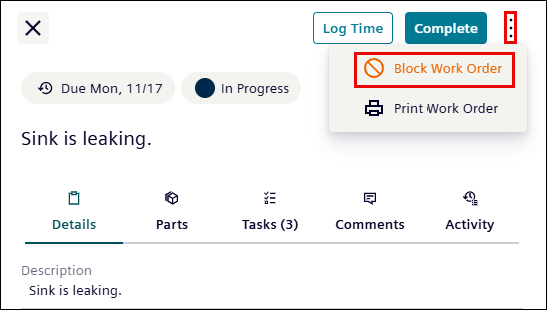
Click the Block Work Order.
-
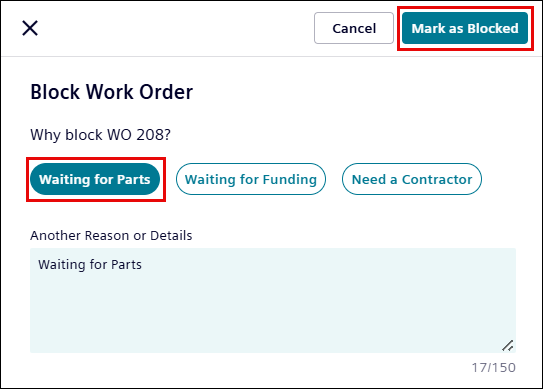
Select or enter the reason for blocking a work order.
-
Click Mark as Blocked.
A “Work Order blocked successfully” pop-up message appears.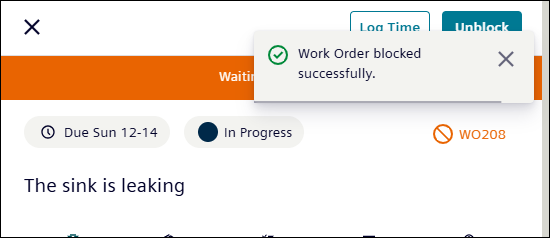
To Unblock a Work Order
-
Click the Unblock button.
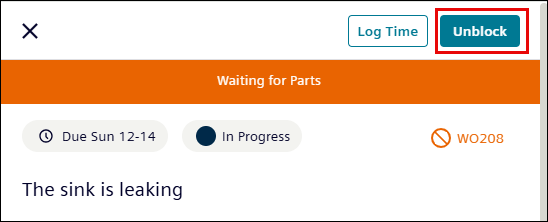
-
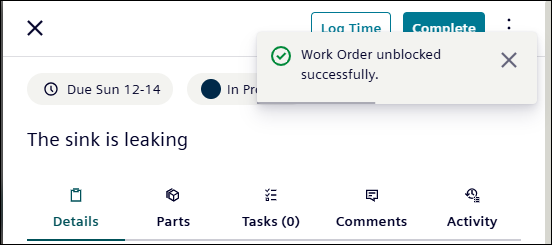
Upon Unblock, “Work Order unblocked successfully” pop-up message appears.